
Step 1: Choose one place for the log (paper or app)
Pick one place and keep every entry there. Splitting notes across a paper notebook, phone notes and text drafts makes it harder to show a steady record later. A paper log is free and simple. An app can add automatic timestamps, attachments, search and PDF export.
Either can work. What matters more is that you use it consistently and that entries are written close to the events they describe.
Related: Free printable custody log template · Custody log app
Step 2: Use the same five fields for every entry
Using the same fields every time keeps entries consistent and makes gaps easy to spot. If you write an entry later, note both the date of the event and the date you wrote it.
- Date and day of the week
- Time (and time zone if parents live in different places)
- Location
- What happened, in observable facts and exact quotes
- Witnesses and evidence (file names, message references)
Step 3: Log exchanges as planned vs. actual
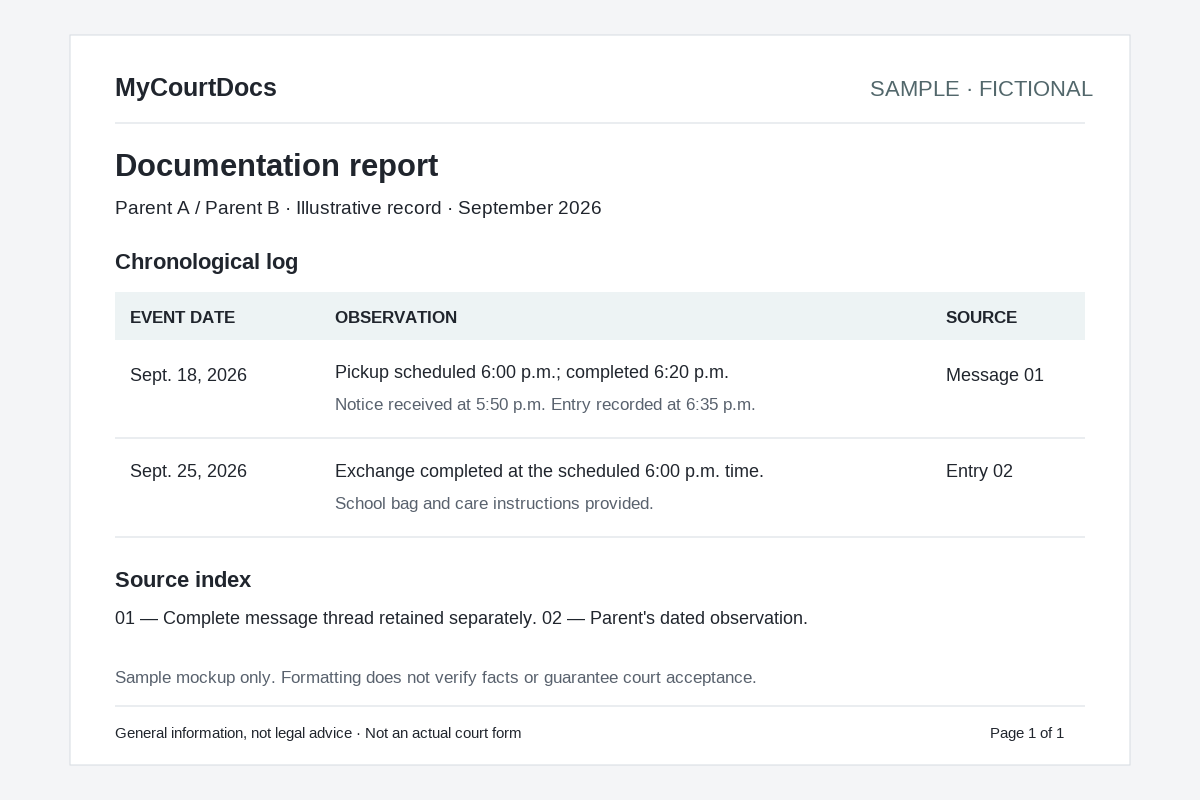
For every exchange, write down what was planned under your order or agreement and what actually happened. Include exchanges that went exactly as planned. A log that only records late or missed exchanges can look selective; on-time exchanges show the full picture.
If a change was agreed in advance, note when and how it was agreed and keep the original schedule visible. Do not describe a requested change as one that was accepted.
Step 4: Attach the evidence you mention
If an entry mentions a message, photo, receipt or email, keep the original and reference it by date and file name. Save complete message threads rather than cropped screenshots, and do not edit or filter original photos or videos.
Collect only material you are entitled to keep. Keep a backup copy of originals separate from the log itself.
Step 5: Write facts, not conclusions
Describe what you saw and heard, when, and where. Leave out guesses about motives, labels and opinions. Use quotation marks only for words you can reproduce accurately, and say when you are paraphrasing.
The fictional examples below show the same event written two ways. Use the structure, not the invented details.
Fictional examples: emotional vs. factual entries
All dates, events and parent labels below are fictional. Use the structure, not the invented facts.
Late exchange
Emotional wording: “The other parent was late again because they don't care about the schedule.”
Factual wording: Fictional example — Friday, October 9, 2026: exchange planned for 6:00 p.m. at the agreed school parking lot. The other parent arrived at 6:25 p.m. A 5:55 p.m. text from the other parent said, ‘Running late.’ Full thread saved as text-1009. Entry written 7:10 p.m. the same day.
Item missing at return
Emotional wording: “The child came back without their inhaler because nobody bothered to pack it.”
Factual wording: Fictional example — Sunday, October 18, 2026: the child was returned at 5:00 p.m. as planned. The child's inhaler, sent on Friday, was not in the backpack. I texted the other parent at 5:20 p.m.; the 6:05 p.m. reply said it was in the car and would be dropped off Monday. Entry written 6:30 p.m.
Step 6: Record the good days too
Include ordinary days: on-time exchanges, completed appointments, shared decisions and cooperative messages. A balanced log is more believable than one that only collects problems, and it shows your own consistency as a parent.
Use the same fields for good days as for difficult ones. A short entry such as "Exchange completed on time; school bag and medication handed over" is enough.
Step 7: Correct entries openly, never silently
If you find a mistake, add a dated correction that explains what changed and why. Keep the original entry visible. Silent edits or deleted entries can raise questions about the whole log.
Never backdate an entry to make it look like it was written at the time of the event. If you remember something later, record it as a late entry with today's date.
Step 8: Review monthly and summarize patterns
Once a month, read back through your entries. Check for missing dates, missing file references and unclear wording. Then write a short, factual summary of what the entries show, such as counts of on-time and late exchanges, with the dates listed.
A summary should point back to specific entries rather than make broad conclusions. Your attorney can decide what, if anything, is relevant.
Related: How to show a pattern in a custody case · How to summarize a year of custody records for your attorney
What not to put in a custody log
A custody log is a record, not a diary for venting. Leave out insults, diagnoses, guesses about intent and arguments with the other parent.
Do not question the child to gather material for the log; record only what comes up naturally. Laws about recording calls and conversations vary, so ask an attorney before recording anyone.
- No questioning the child for the log
- No recording conversations without asking an attorney first
- No venting, labels or guesses about motives
- No unnecessary private details about other people
Keep following your court order
A log records what happens; it does not change your obligations. Keep following your current order and parenting schedule, and keep using any court-ordered shared co-parenting app as required. Keep your private log alongside it.
If anyone is in immediate danger, contact emergency services first. Documentation can wait.
Related: Crisis help resources